If you're sitting Cambridge IGCSE Mathematics—whether that's 0580 or 0980—there's one rule that settles your calculator choice before you even start comparing models: you need a scientific calculator, and nothing fancier will get past the invigilator. A related next step is my 9 best calculators for Edexcel IGCSE Maths (4MA1) guide.
The advice on this page applies equally to both codes. Cambridge IGCSE Maths 0580 and 0980 teach the same syllabus content and sit exams of the same difficulty; the only real difference is the grading scale. 0580 uses the traditional A*–G grades, while 0980 uses the 9–1 scale (where 9 is the top grade) that mirrors UK GCSE. None of that affects your calculator, so everything below holds for both. A related next step is my Best GCSE and IGCSE Maths revision guides guide.
The Cambridge calculator rule, in plain English
Cambridge changed its exam structure in 2025, so this matters more than it used to. From June 2025, Papers 1 and 2 are non-calculator papers, while Papers 3 and 4 are the calculator papers. In practice that means Core students use a calculator in Paper 3, and Extended students use one in Paper 4. The other paper is done by hand—so don't let the calculator do your thinking for you in revision. A related next step is my 5 Best free websites for GCSE Maths past papers guide.
The type of calculator is fixed, too. Cambridge's syllabus is explicit that candidates should have a scientific calculator for the calculator papers, and that algebraic or graphical calculators are not permitted. So if you've seen a friend on a different course with a flashy colour-screen graphing calculator, that's not an option here—a graphic display calculator (GDC) will not be allowed in your Cambridge IGCSE exam, under either code. A related next step is my 7 Best calculators for GCSE Maths guide.
That's actually good news for your wallet. A solid scientific calculator costs a fraction of a graphical one, does everything the syllabus needs (fractions, powers, roots, standard form, trigonometry and statistics), and is far quicker to learn. A related next step is my 8 Best free GCSE Maths revision websites guide.
The features to avoid are anything with a computer algebra system (CAS), symbolic differentiation or integration, a QWERTY keyboard, or the ability to store and retrieve text. Standard scientific models don't have these, so you're safe with any of the seven below. A related next step is my Algebra revision guide.
One thing worth taking on board before you choose: the research suggests your calculator genuinely affects how you perform—but only if it's familiar. A widely cited meta-analysis of 54 studies found that students' operational and problem-solving skills improved when calculators were an integral part of testing and instruction, and that calculator users tended to have better attitudes toward mathematics than those who went without. The lesson is to pick one model early and practise with it until it's second nature.
1. Casio fx-85GTCW+
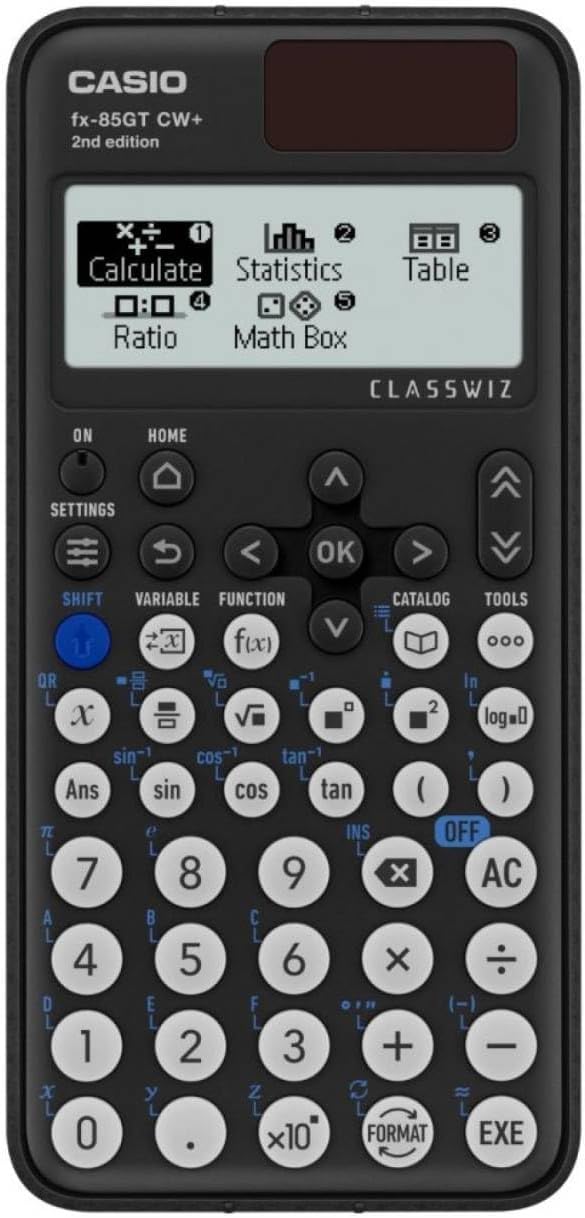
The default choice for good reason. The FX-85GT CW is the current standard scientific model, and it covers every calculation the 0580 syllabus throws at you without hiding those functions behind menus you'll never use.
Its best feature is dual power: a solar panel backed up by a battery, so a dead battery during Paper 3 or 4 isn't a worry.
Cost: around £17 — check price on Amazon
Worth knowing: quick to learn and easy on the budget. It's built for IGCSE level, so if you're continuing to A-Level you might prefer something with more headroom—but for 0580 it's ideal.
2. Casio FX-83GT CW
The battery-only version of our top pick. Identical ClassWiz layout, identical approved function set, just without the solar panel—which usually shaves a pound or two off the price.
It's one of the most widely used models in classrooms worldwide, so if your teacher demonstrates a method on the board, your screen will likely match theirs exactly.
Cost: around £15 — check price on Amazon
Worth knowing: the only catch is keeping a spare battery handy. Otherwise it's a superb, slightly cheaper choice.
3. Casio FX-991EX (ClassWiz)
If A-Level or the IB is on your horizon, this is where to spend a little more. The FX-991EX adds numerical equation solvers, a spreadsheet function and a high-resolution display on top of everything the cheaper ClassWiz models do.
For Cambridge Extended students handling more demanding algebra and trigonometry, that extra capability is handy for checking answers under time pressure—while still being a fully permitted scientific (not graphical) calculator.
Cost: around £29.50 — check price on Amazon
Worth knowing: it's more calculator than the syllabus strictly needs, and the depth takes a little while to master. But it's the model students are least likely to outgrow.
4. Texas Instruments TI-30XS MultiView
The strongest alternative to the Casio range. The TI-30XS earns its spot on the strength of its MultiView display, which shows several lines of working at once—useful for scanning back to find where an answer went wrong.
It's solar and battery powered and a dependable choice for students who prefer the Texas Instruments layout.
Cost: around £29.00 — check price on Amazon
Worth knowing: the interface is a step up in complexity from a basic scientific calculator, and it's slightly heavier. If your school teaches on Casios, matching them may be easier.
5. EooCoo Scientific Calculator
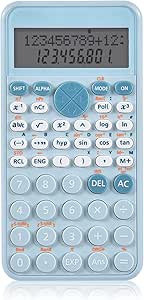
A sensible budget option. The EooCoo lacks the brand recognition of Casio or TI, but delivers a natural textbook-style display and all the core functions a Cambridge IGCSE student needs for a fraction of the price.
If money is tight and you want something that simply works, it's a fair pick.
Cost: around £10.98 — check price on Amazon
Worth knowing: you lose some advanced functions, and battery life trails the bigger brands. Neither is a dealbreaker for IGCSE work.
6. OSALO Scientific Calculator
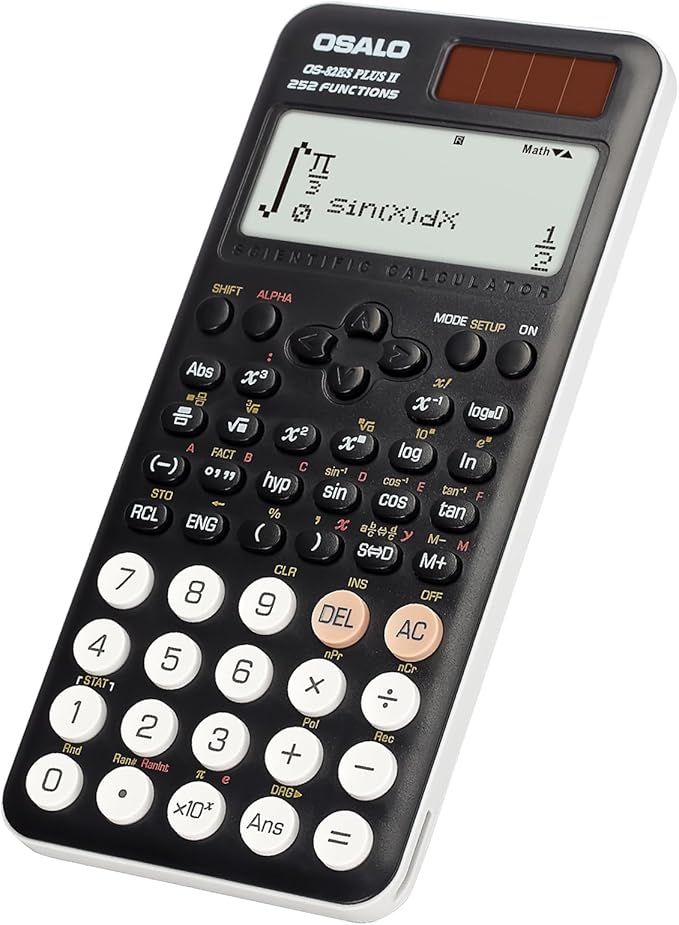
Another capable budget choice. The OSALO has earned a following for durability and a comfortable, ergonomic key layout—something you only appreciate part-way through a long paper.
Cost: around £19.99 — check price on Amazon
Worth knowing: it's a smaller brand, and the advanced functions are limited. But it's robust and dependable for the money.
7. WECKEW Scientific Calculator
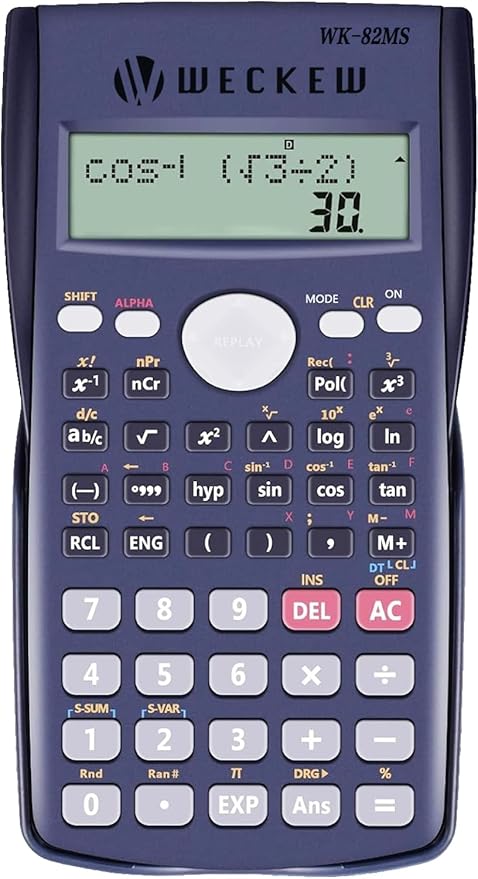
The wallet-friendly wildcard. The WECKEW packs 240 functions and a multi-line display into one of the cheapest packages here, with dual solar-and-battery power and a respectable reviewer rating.
Cost: around £6.99 — check price on Amazon
Worth knowing: at this price the build feels exactly as cheap as it is, and the advanced features are basic. As a backup or stopgap, it's hard to argue with.
So which one should you buy for Cambridge IGCSE?
For most Cambridge IGCSE students, the Casio fx-85GTCW+ (or the battery-only FX-83GT CW) is the safe, sensible default—permitted, easy to learn, and likely the model your teacher uses.
If you're an Extended student heading to A-Level, the Casio FX-991EX gives you room to grow while staying fully exam-legal.
If budget decides it, the EooCoo or WECKEW will do the job without fuss.
Whatever you choose, remember the one rule that matters most for Cambridge: it must be a scientific calculator, not a graphical one. And practise with the exact model you'll take into Paper 3 or 4—know how to switch modes, enter fractions cleanly, and re-type a calculation to catch slips.
A quick caveat: exam regulations do change (the 2025 paper restructure is proof), so always confirm the current rules with your school's exams officer before you buy.